Make every moment count with Marketing Cloud.
Get to know your customers through unified profiles. Personalize offers across any channel with AI. Build lasting relationships that drive business growth.


See how top brands activate data and AI with Salesforce to grow customer relationships.


Discover why Marketing Cloud is the #1 marketing platform.
Data that’s actionable
Customer Data Platform
Unlock the full value of your customer data so you can personalize every moment.
Marketing Analytics
Optimize campaigns and spend with unified marketing performance data and AI insights.
Personalization that scales
Marketing Cloud Engagement
Increase conversion with relevant engagement across email, mobile, ads, and web.
Marketing AI
Make smarter decisions, faster with intelligence baked into the platform.
Personalization
Use trusted customer data and AI to improve personalization across all owned channels.
Marketing that’s connected
B2B Marketing Automation
Grow efficiently by aligning marketing and sales around every account.
Customer Loyalty
Grow relationships by aligning marketing and loyalty around VIP customer experiences.
Marketing for Small Business
Do big things for your small business with marketing automation on the world’s #1 AI CRM.

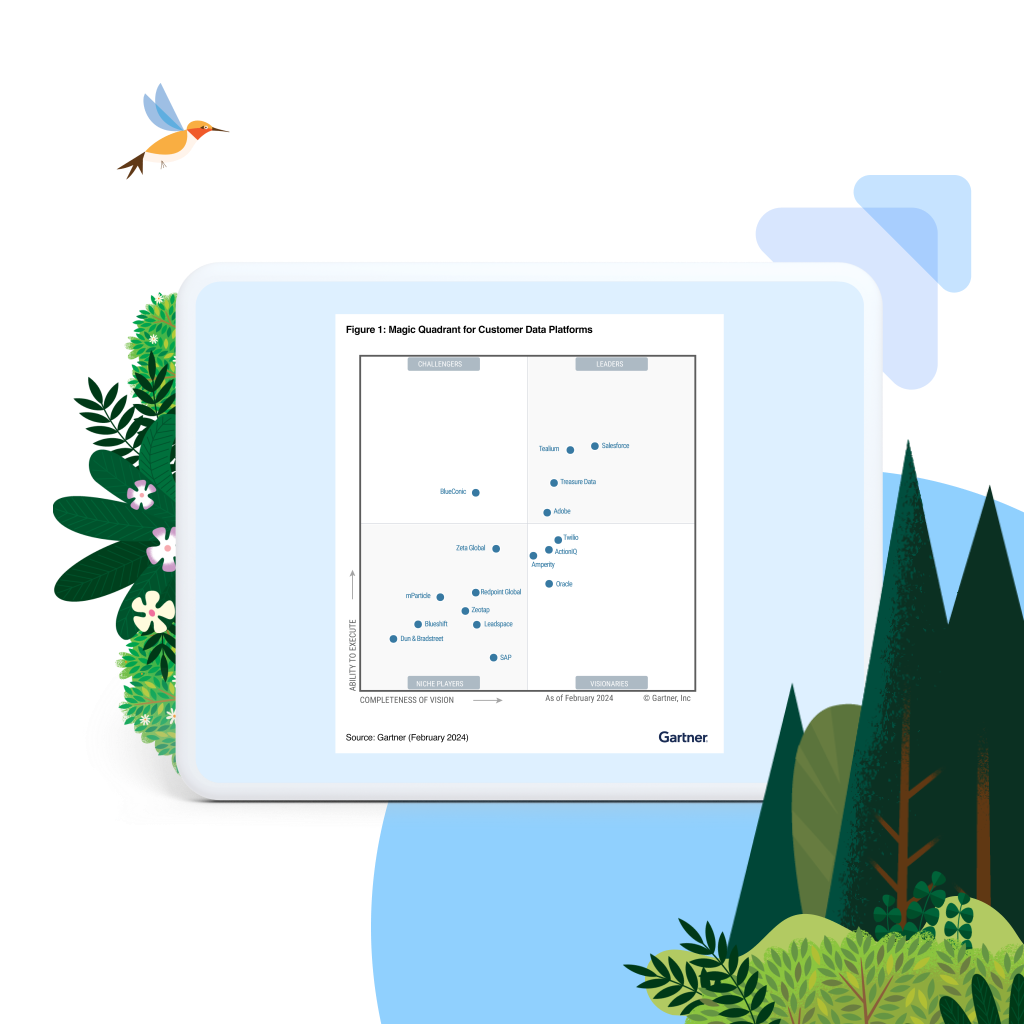
Gartner named Salesforce a Leader in Customer Data Platforms. See why.

Gartner named Salesforce a Leader in the 2023 Magic Quadrant™ for Multichannel Marketing Hubs.
Here’s what sets Marketing Cloud apart.

28
%
ROI growth
Salesforce boosts marketing ROI by an average of 28% after implementation.*

27
%
higher value
Marketers using Salesforce see a 27% increase in customer lifetime value.*

31
%
more engagement
Marketing Cloud helps businesses grow customer engagement by an average of 31%.*
*Salesforce Customer Success Metrics

Everything you need to maximize ROI.
From support, expert guidance, and resources to our trusted partner ecosystem, we're here to help you get more value from Salesforce in the AI era.
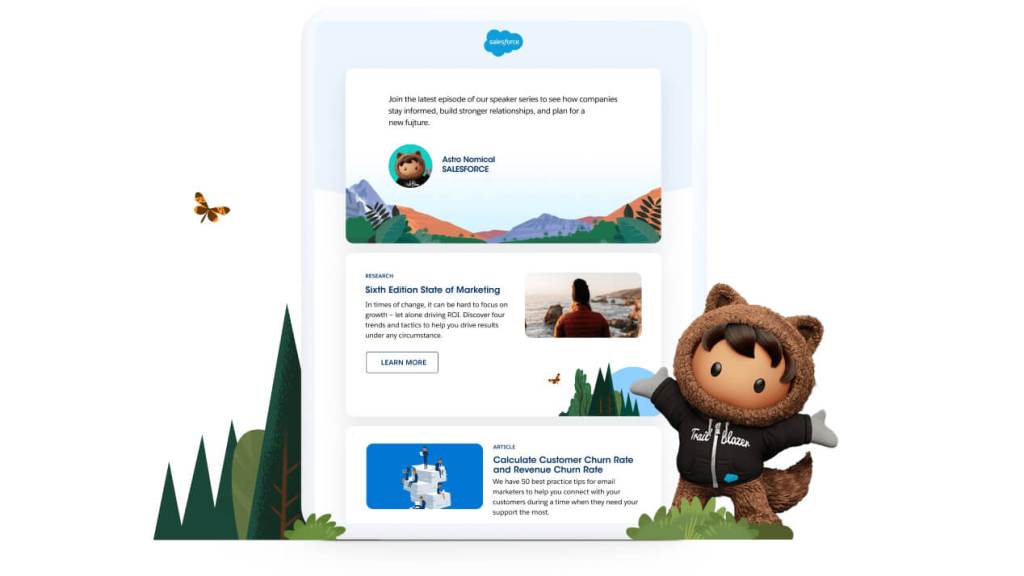
Stay up to date on all things marketing.
Sign up for our monthly marketing newsletter to get the latest research, industry insights, and product news delivered straight to your inbox.

AI, Data, and CRM are how we achieve the promise of speaking directly to consumers with the thing that matters most to them.
Doug MartinChief Brand and Disruptive Growth Officer, General Mills

With over 500 million fans worldwide, how do we understand who they are and continue to grow that audience? It’s those personalized journeys and always-on capabilities.
Matt KempSenior Manager, CRM & Customer Service Ops, Formula 1

Learn more about Salesforce for Marketing with free learning on Trailhead.

Keep up with the latest marketing trends, insights, and conversations.

Ready to take the next step?

Talk to an expert.
Tell us a bit more so the right person can reach out faster.

Stay up to date.
Get the latest research, industry insights, and product news delivered straight to your inbox.

Marketing FAQ
Marketing Cloud is an AI-powered, cloud-based digital marketing platform within the Salesforce Customer 360 ecosystem. Marketers can segment their audience, deliver personalized messages, track campaign performance, engage leads and accounts, and optimize strategies based on real-time insights. It helps make every moment count to drive customer loyalty and more effective marketing outcomes.
Marketing Cloud helps you make every moment count with the power of AI, data, and CRM. Marketing Cloud offers a connected suite of tools, natively built on the #1 CRM, for unifying and activating first-party customer data, managing and automating marketing campaigns across various channels, including email, ads, mobile, and web, delivering real-time personalization, connecting lead generation and account-based marketing (ABM), and automating performance and spend insights to maximize efficient growth.
Marketing Cloud is comprised of five main capability areas for marketers. Each component focuses on specific aspects of digital marketing and collectively forms a comprehensive suite of tools to manage and optimize marketing efforts. The key products within Marketing Cloud are Data Cloud for Marketing (customer data platform), Personalization (real-time next best actions), Engagement (email, mobile, advertising, journeys, and loyalty management), Account Engagement (marketing and sales alignment, lead generation, and ABM), and Intelligence (performance insights, analytics, and reporting).
Marketing software is a suite of tools and capabilities to help businesses manage and optimize their marketing efforts across various channels. Marketing Cloud allows businesses to create, automate, and personalize marketing campaigns using email, social media, mobile messaging, advertising, and web channels. It offers features such as unified customer profiles, rapid audience segmentation, content creation, campaign management, analytics, and customer journey mapping. The software integrates with Salesforce CRM via Data Cloud, enabling native data synchronization and a unified view of customer interactions. Marketing Cloud empowers businesses with the tools they need to engage customers effectively, deliver personalized experiences, and drive better marketing outcomes.
Marketing software offers numerous benefits to businesses, including automation of tasks, improved productivity, personalized customer experiences, enhanced engagement, data-driven insights, streamlined collaboration, scalability to accommodate growth, and integration with other systems. It automates repetitive tasks, allowing marketers to focus on strategic activities, while also enabling personalized interactions and targeted messaging. With powerful analytics, businesses can gain valuable insights to optimize their marketing strategies and measure ROI. The software facilitates collaboration among teams, scales with business needs, and integrates with other systems to support a holistic approach to marketing. Overall, marketing software empowers businesses to streamline operations, engage customers effectively, leverage data-driven decision-making, and drive growth.
If you run marketing campaign across multiple channels, marketing software can greatly benefit your business through automation, personalization, and data-driven decision-making. Marketing software streamlines processes, improves productivity, enables personalized customer experiences, and provides valuable insights for optimizing marketing strategies. It helps businesses stay competitive in today's digital landscape and grow more efficiently. Assess your marketing needs, resources, and goals to determine which marketing software is most valuable to your business objectives.
Choosing the right marketing software involves considering several key factors. Start by identifying your specific marketing needs and goals. Evaluate the features and capabilities of different software options, ensuring they align with your requirements. Consider factors such as ease of use, scalability, integration with existing systems, and customer support. Take advantage of demos to assess its user-friendliness. Read reviews, seek recommendations, and consider the reputation and track record of the software provider. Pay attention to data security, privacy, and compliance with regulations. Finally, evaluate the cost and value proposition to ensure the software fits within your budget and offers a strong return on investment. By carefully assessing these factors, you can choose the marketing software that best suits your business needs.